How to Post a Reel on Instagram Story (2026 Guide)
13 min read
read
·

Most brands treat a Reel shared to Instagram Story as a second upload. It isn't. It's a distribution layer over the original Reel, giving existing followers another entry point without creating new content. That distinction matters because Reels and Stories serve different jobs, and the share only works when you use each surface for what it does best.
By 2026, independent industry reporting estimated that more than 1.8 billion to 2.3 billion people engaged with Reels monthly, with roughly 737,000 Reels uploaded every day worldwide. The same reporting estimated 139 million Reel watches per minute and more than 200 billion plays per day across Meta's short-form surfaces. These figures come from industry reporting on Instagram Reel statistics, and they explain why Story sharing is useful: you're placing a preview in front of a warm audience while the original Reel keeps its own discovery surface.
Stories had about 500 million daily active users by 2025, according to Instagram Reels statistics reporting. The Story doesn't replace the Reel. It gives followers who missed the feed post a visible reminder and a direct tap path back to the full video.
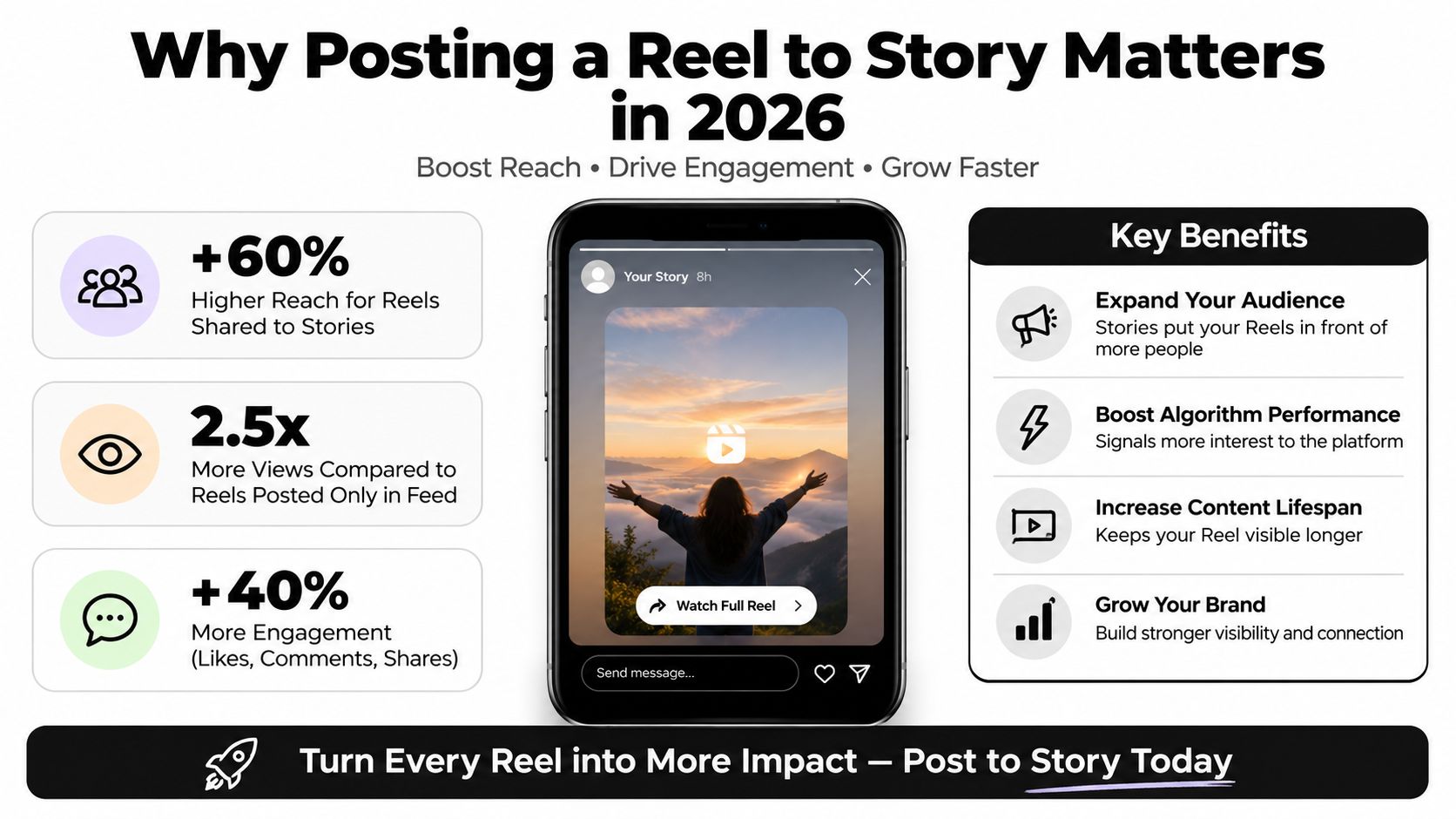
For DTC teams, that makes Reel-to-Story sharing especially useful after a product demo, offer announcement, or creator-style testimonial. The Reel can attract discovery, while the Story reminds current followers to watch, reply, visit the product page, or send a question. If you're still deciding the right source-video length, this guide on how long should an IG Reel be is a useful planning reference before publishing.
Treat this as part of your broader social media marketing for DTC workflow. The button takes seconds. The value comes from the audience you put behind it and the action you ask that audience to take.
Table of Contents
The Share Button Path From Reel to Story
Instagram keeps the workflow consistent whether you found the Reel in your main feed, the Reels tab, or Explore. Open the Reel you want to distribute, then look for the paper-plane Share icon near the engagement controls. Tap it to open the sharing panel.
Choose Add to story. This option uses Instagram's native Story composer. It doesn't create a separate Reel file, and it doesn't publish the video as a new feed post. Instead, Instagram places a tappable preview of the original Reel onto the Story canvas.
Practical rule: The paper-plane icon is the route to Story sharing. Don't look for a universal repost button when your goal is to place a Reel in Stories.
Once the Story composer opens, check the preview before adding anything. You can move and resize the shared Reel element, then add text, stickers, polls, or questions. Keep the original preview large enough for viewers to recognize the content and understand that it can be tapped.
The standard sequence is confirmed in this step-by-step guide to sharing a Reel to Instagram Story. In practice, the flow is:
Open the source Reel: Find it in feed, Reels, or Explore.
Tap Share: Use the paper-plane icon, not the comment or send control.
Select Add to story: Instagram transfers the Reel preview into the Story composer.
Customize the canvas: Add a short hook, relevant sticker, or concise instruction.
Publish through Your story: Choose the audience option available in your account, then publish.
If you're sharing a customer testimonial, the overlay might say “See the full customer story.” For a product demonstration, use “Watch the complete demo.” The Story should make the tap feel like the obvious next action, not force viewers to decode a crowded design.
After publishing, the Story appears among your active Stories and remains a temporary distribution point. The original Reel stays on its own URL and retains its own comments, likes, saves, and discovery behavior. That separation is why you should review the Reel itself after publishing, rather than assuming the Story is a replacement copy.
Reels and Stories as Separate Algorithms
Sharing a Reel to Story doesn't merge the two formats into one algorithmic object. Reels and Stories remain separate surfaces, with different viewing habits and distribution mechanics. Reels are the broader discovery asset. Stories are the faster reminder layer for people who already know the account.
Independent 2026 benchmark summaries place Reels at roughly 4.2% to 7.1% engagement across account sizes, while Stories typically reach about 5% to 10% of existing followers per Story, with limited non-follower discovery. These ranges are reported in this 2026 Instagram engagement benchmark guide. Use them as directional context, not as a promise for any individual account.
The operational split is straightforward:
Surface | Primary job | Best audience | Useful action |
|---|---|---|---|
Reel | Discovery and sustained content distribution | Followers and potential non-followers | Watch, save, share, comment |
Story | Reminder, context, and immediate response | Existing followers and warm viewers | Tap through, reply, vote, ask |
A Story share can increase exposure among followers who didn't encounter the original Reel. It won't automatically push the Reel to a new audience or alter the Reel's underlying discovery mechanics. That's why a strong Reel can still underperform in Story if the preview is unclear, buried among unrelated frames, or paired with an irrelevant sticker.
Use the share when the Reel has a clear commercial or conversational purpose. Product launches, comparison videos, FAQs, social proof, and time-sensitive offers usually benefit because followers need a prompt to return to the content. Skip or delay the share when the Reel is already surrounded by a busy Story sequence or when the overlay would add no useful context.
A disciplined operator also tracks the two surfaces separately. Monitor Reel views, saves, comments, and non-follower reach on the Reel. Monitor Story exits, replies, taps, and direct-message activity on the Story. For a wider view of audience signals, use a social media monitoring framework that separates attention from actual buying intent.
Stickers, Text and CTAs That Earn the Tap
The Story composer gives you room to add context. That doesn't mean you should fill every available space. A clear Reel preview plus one useful prompt generally gives the viewer a better reason to tap than a frame covered in design elements.
The most common operational mistake is overloading the Story with too much text, too many stickers, or several competing CTAs. The practical guidance is to keep the preview clear, add a short hook, and use a sticker only when it supports the action. This approach is also emphasized in the Instagram engagement benchmark guidance.
Use overlays that match the Reel
For a product launch, place a short hook near the top:
“The new fit is live.”
Then add one CTA near the bottom:
“Tap to see the details.”
For a tutorial Reel, make the Story promise specific value:
“The setup mistake is in this video.”
A question sticker can work if you want viewers to identify their own problem, but don't add one just because it's available. If the Reel answers a common question, use:
“What would you like us to explain next?”
For a testimonial Reel, use the customer's outcome as the context:
“See why customers keep choosing this.”
That wording supports the Reel instead of competing with it. Avoid placing a long product description over the preview. Viewers should understand the subject immediately, then know what tapping will deliver.
Give the viewer one job
A Story can ask for a tap, a reply, a vote, or a visit. Asking for all of them at once creates friction. Choose the action that matches the campaign objective.
For discovery: “Tap to watch the full Reel.”
For product consideration: “See the product in use.”
For objections: “Still deciding? Watch this answer.”
For conversation: “Reply with your question.”
Keep the first Story frame focused. If you need more explanation, publish a follow-up frame after the Reel preview rather than shrinking the Reel until it becomes hard to recognize. A repeatable Instagram welcome message approach can also help teams turn Story replies into a consistent conversation instead of leaving buyer questions unanswered.
A Posting Cadence That Puts the Share to Work
A DTC brand launching a new product doesn't need to treat the Reel share as a one-time action. It can use the same source Reel at different moments, with different context, while keeping each Story frame focused.
Assume the launch Reel demonstrates the product, shows the main use case, and ends with a clear offer. In the morning, publish the Reel first. Once it's live, share it to Story with a simple hook such as “The launch is live” and a tap-through instruction. The first Story catches followers who are checking Stories before they scroll through the feed.
At midday, bring the same Reel back into the active Story sequence with a different reason to watch. Instead of repeating the launch message, use “See how it works in real use” or highlight the specific feature most likely to create hesitation. This is not a new upload. It's a new piece of context around the same asset.
A simple launch-day rhythm
Morning: Publish the Reel and share it to Story with the announcement hook.
Midday: Repost the Reel preview with a product-use or objection-handling hook.
Evening: Use a poll or question only if the response will inform follow-up conversations.
After the launch window: Save important Story content elsewhere if the campaign needs a longer life, because Stories are temporary.
The evening frame should feel conversational, not repetitive. A poll such as “Which color would you choose?” works when the Reel shows multiple options. A question sticker such as “What would you want to know before buying?” works when the team can answer replies promptly.
For teams managing many campaigns, a practical automated Story posting guide can help turn this rhythm into a calendar process. Automation should handle timing and consistency, not replace the judgment behind the hook. Build the routine into your workflow automation process, then review replies and taps to decide which context deserves another share.
What the Story Version Shows
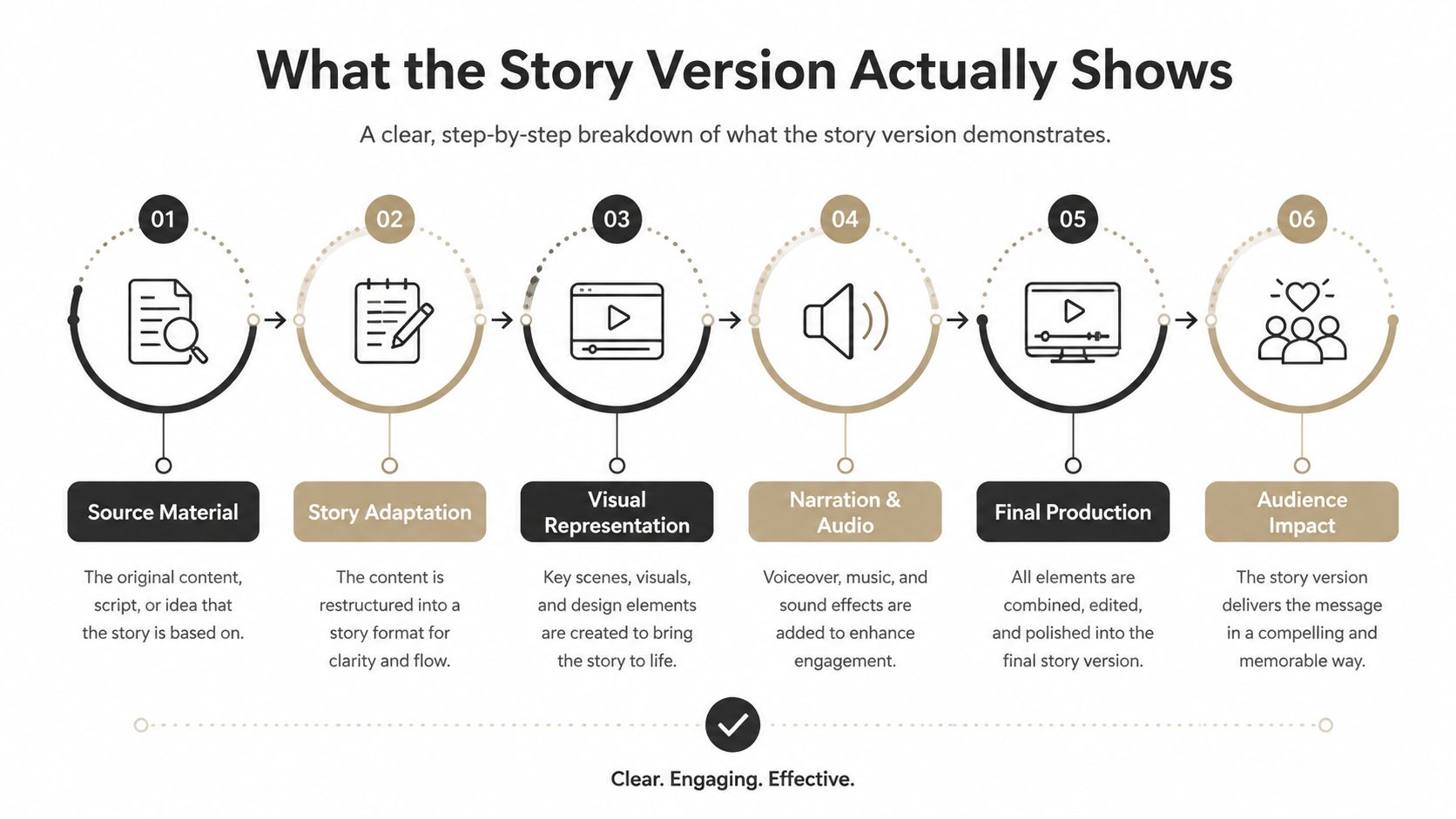
A shared Reel is usually a preview element on the Story canvas, not a separate, fully playable Reel. Viewers tap that preview to open the original full Reel, where the post's viewing and engagement activity continues.
That distinction explains why a Story may show only an opening frame or a short visual sample. The Reel has not necessarily failed to upload. The Story sends warm viewers back to the source asset, so treat it as a distribution layer for people already connected to the account, not a replacement for the original post. See this guide to sharing Reels to Stories for the basic handoff.
What changes the preview
The Story composer places the shared Reel inside a separate canvas. Its position, scale, background treatment, and overlays can change how much of the source remains visible. Editing this Story frame does not edit the original Reel.
Longer Reels also set a different expectation from short clips that communicate their point immediately. The preview may show enough of the opening to earn a tap, while the viewer still needs to open the original post for the full sequence. Put the value proposition in the overlay, and make the tap worthwhile with a clear promise such as a demonstration, comparison, or detail that the preview cannot contain.
Sticker placement affects the route to the Reel. Keep text and interactive stickers away from the preview's tap area, and check that a poll, question, or GIF does not cover the product or opening action. A sticker can create conversation, but it does not replace the tap path to the source post.
If the preview looks cropped or awkward, inspect both the source composition and its placement on the Story canvas. For future assets, use this guide to optimize Reels resolution for Instagram before publishing. A clean vertical composition gives the composer more usable space and keeps product details visible.
Fast diagnostics for missing options
Share option missing: Account settings, content permissions, rollout differences, or a temporary app issue may affect availability. Update the app, reopen the Reel, and test another published post.
Older or recycled Reel won't share: The platform may handle older content or previously repurposed files differently. Share from the live Reel rather than a saved draft or exported copy.
Account types behave differently: Feature availability can vary by account type and rollout. Test the same action on a controlled account before building a campaign workflow around it.
The Reel has been restricted: Policy enforcement can remove or limit sharing options. Review account status and resolve the restriction before distributing the content again.
The Story composer fails to open: An aspect-ratio or media-rendering problem may block the handoff. Reopen the app, test another Reel, and prepare future videos for vertical Story placement.
The audience option looks different: Public Story sharing or a close-friends route may appear depending on the account and composer state. Choose the audience that matches the intended reach.
These are operational failures, not reasons to rebuild the creative. Confirm whether the problem comes from the source post, account permissions, app state, policy status, or audience setting before changing the Reel.
A Reusable Checklist for Every Story Share
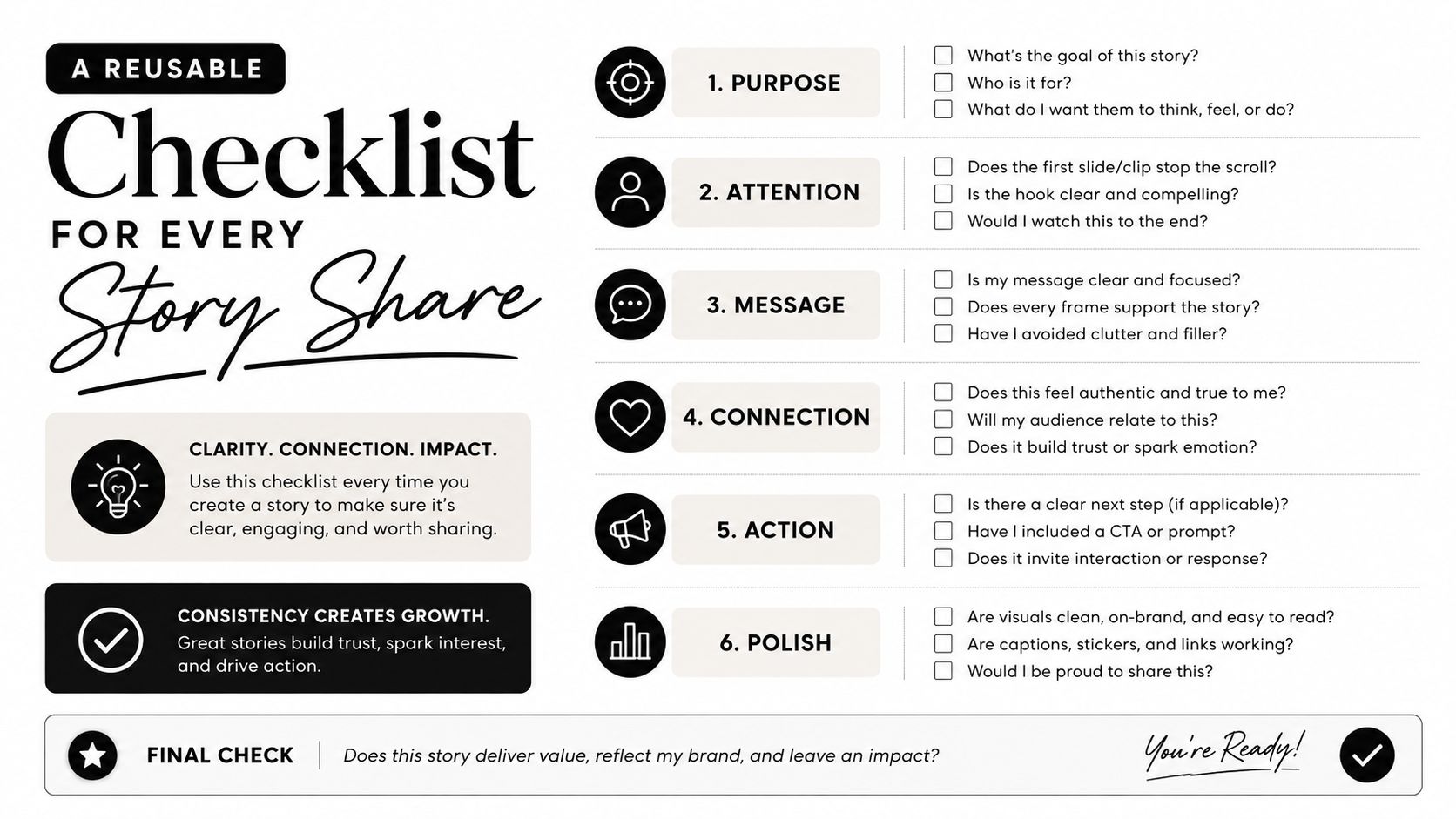
Use this checklist before publishing each Story version. It keeps the Reel readable and makes the tap path clear for a warm audience already familiar with the brand.
Confirm the Reel is live: Share from the published post, not an unfinished draft.
Check the preview: Keep the product, person, and opening action visible.
Write one hook: Give viewers a specific reason to tap.
Choose one CTA: Ask for a tap, reply, vote, or question. One action is easier to follow.
Limit the stickers: Add a poll or question only when it supports the Reel.
Check the audience: Use the broad Story audience for public distribution, or a restricted audience for segmented messages.
Review timing: Stories disappear after 24 hours unless saved elsewhere. Match the share to the offer or launch window, as explained in guidance on sharing Reels to Instagram.
Test the tap path: Open the published Story and confirm it routes viewers to the original Reel.
Plan the response: Assign ownership for replies, product questions, and purchase intent before publishing.
The tap is only the start. A sizing question, shipping concern, or product objection signals a higher-intent conversation. Track that path with a clear conversion attribution workflow, and judge the Story by resulting actions, not views alone.
Exerta provides AI employees for comments, DMs, moderation, and purchase conversations across Facebook, Instagram, TikTok, and website chat, with each action logged and attributed. If the Story share generates more buyer questions than your team can answer, visit Exerta to see how automated, brand-trained engagement can help recover those conversations.